Sheet metal folding
Your customers draw the profile. You get the quote, the DXF and the folding sheet.
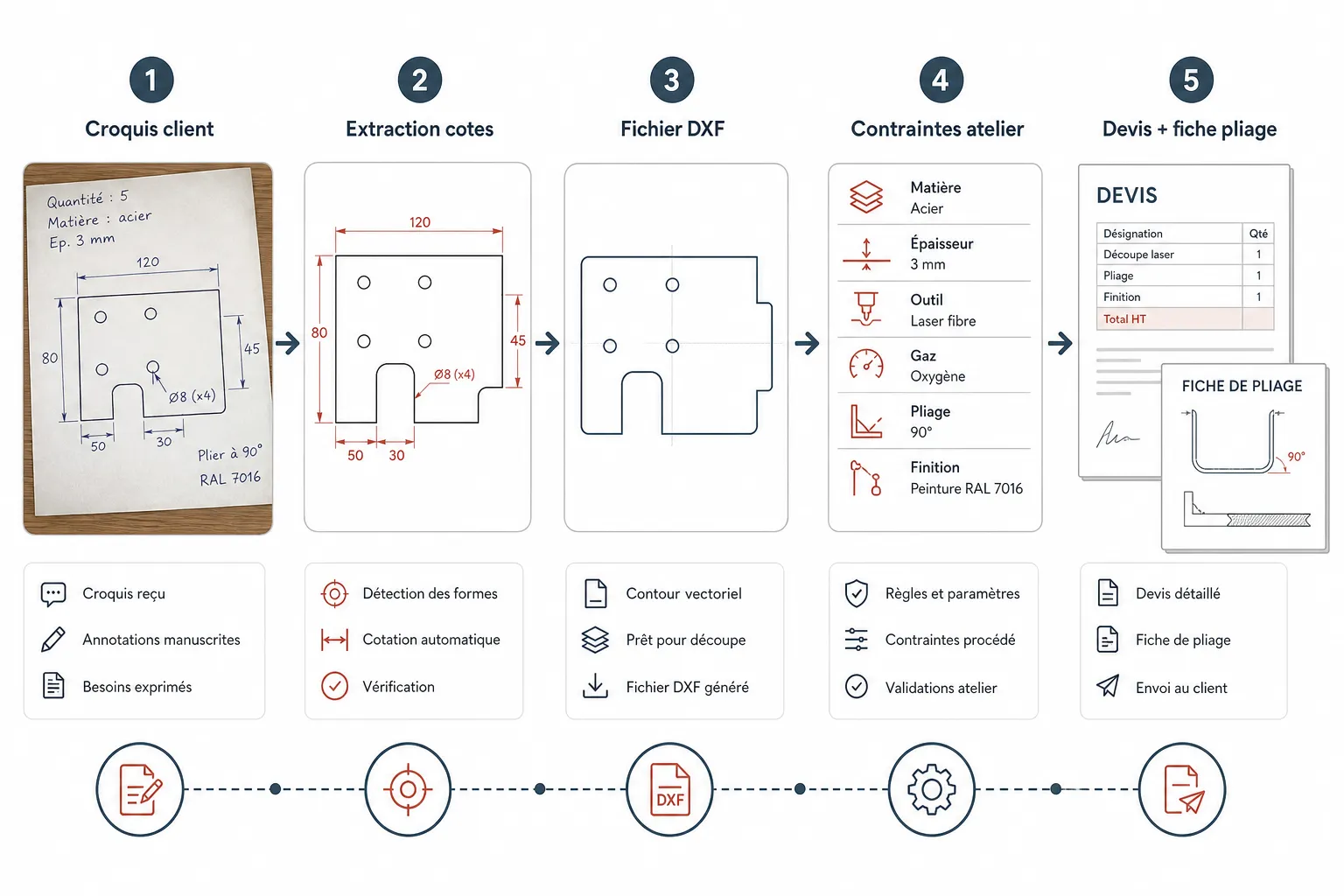
Copings, flashings, angles, cladding trims: Koventor reads the roofer's or the builder's sketch, checks that the profile can be folded on your machines, prices it on your own rates and prepares the shop documents. Proven in production in a working folding shop.
Live demo, fictional prices: nothing reaches a workshop.
Real screens from the demo. Demo pricing, for illustration only.
The presentation film
The whole workflow, chapter by chapter.
One part followed from the sketch to the shop documents, on the real screens. Click a chapter to go straight to it.
1. The problem · A sketch, a missing dimension, emails piling up.
What your customers actually send
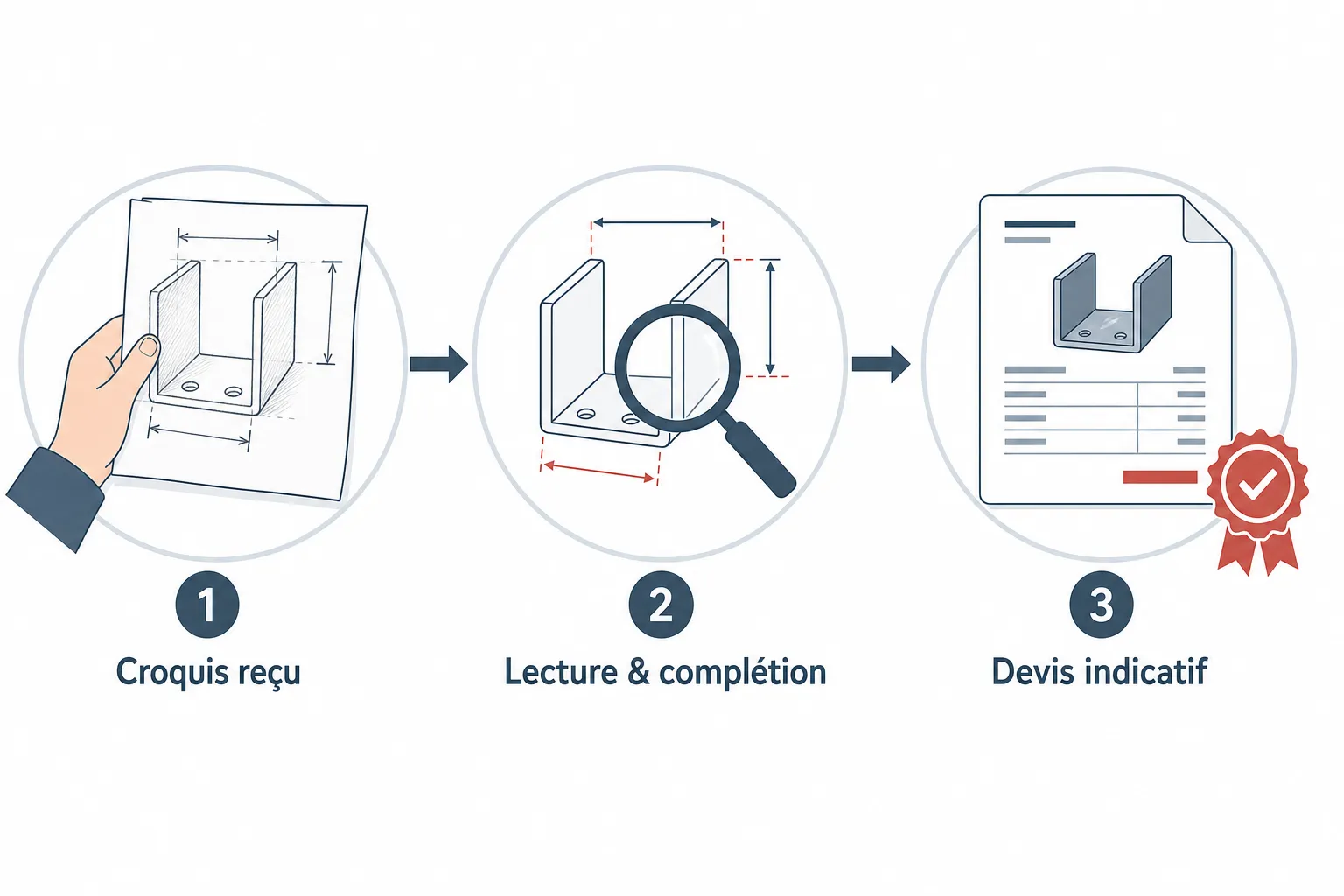
A photo of a sketch taken on site, a profile scribbled on an order form, a list of copings in a text message (“2 m lengths, RAL 7016, girth 333”), and now and then a missing dimension. A folding shop's customers are roofers, cladders, builders and window fitters: they know exactly what they need, rarely how to write it down.
None of these formats is a production file. They are nevertheless what you have to price from, and that is exactly where Koventor starts.
What the pricing has to produce
The parameters specific to your trade, the ones that decide whether a price holds.
The profile, flange by flange
Every flange with its dimension and angle, shown in section, in 3D and flat. L, U, Z and top-hat profiles, copings with a drip, flashings, trims: the customer builds them or picks them from your catalogue, and places any holes on the flat view.
Material, thickness and colour
Galvanised, pre-painted or bare steel, Corten, chequer plate, perforated sheet; mill-finish, pre-painted or anodised aluminium; stainless, zinc and copper; and the RAL colour. Each material carries its own thicknesses and its own price.
What your machines can actually do
Maximum length on your press brake or folder and on your sheet size, minimum angle, flange limits: a profile that cannot be folded is refused before it reaches the office, and the customer is told why.
The price, on your rules
Material, number of folds, holes, delivery and your margin: your own rate card does the sum, adjustable in the admin area. Material use is estimated from your sheet size, so the offcut is in the price.
What actually bites, and what a generic rate card ignores
One missing dimension holds up the whole quote
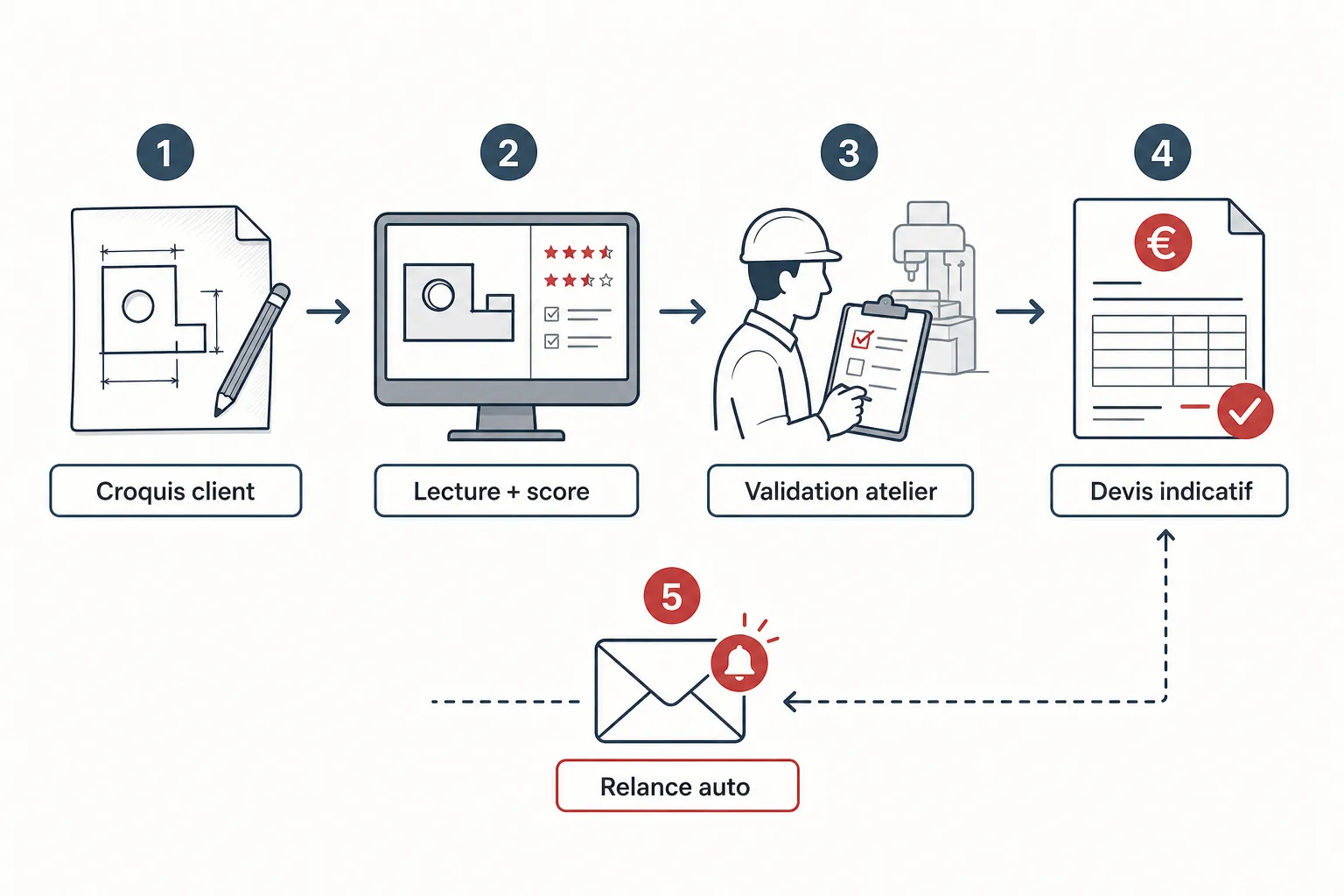
The girth cannot be worked out without every flange. Koventor asks the customer once, in writing or by voice, and the price waits for the answer instead of inventing a figure.
Visible face and paint side
On pre-painted sheet, the coloured face has to end up on the right side after folding. The configurator marks it on the profile, and the shop finds it on the folding sheet.
The office redraws what it receives
Without a tool, every sketch is redrawn to get a DXF and a shop sheet. With Koventor the job arrives complete: quote, DXF, folding sheet and order acknowledgement as a PDF. Quotes left unanswered are followed up on their own.
Common questions
My customers are roofers, not draughtsmen. Will they manage?
They do not need to draw neatly: a photo of their sketch is enough, the reading fills in the profile and only asks for what is missing. Those who prefer to type dimensions do it flange by flange.
Is the price shown to the customer mine?
Yes. Materials, folds, holes, delivery and margin all come from your settings. You keep the final say before a quote becomes an order.
Does Koventor program my press brake?
No. It produces the quote, the DXF and a folding sheet that lists each fold for the operator. Programming the machine stays with your shop and your usual software.
Where does it go?
On your own website, or on a page dedicated to your shop. Installation and the setup of your materials, machines and prices are done with you.
Can the AI misread a sketch?
Yes, as a person can with a badly written sketch. That is why it flags what it could not read instead of guessing, and why the part stays visible in 3D and flat before any request is sent.
The other trades
What this would look like on your quotes
Try the demo for your material, then tell us about your workshop: we look at one or two of your recent quotes together and show you what the system makes of them.