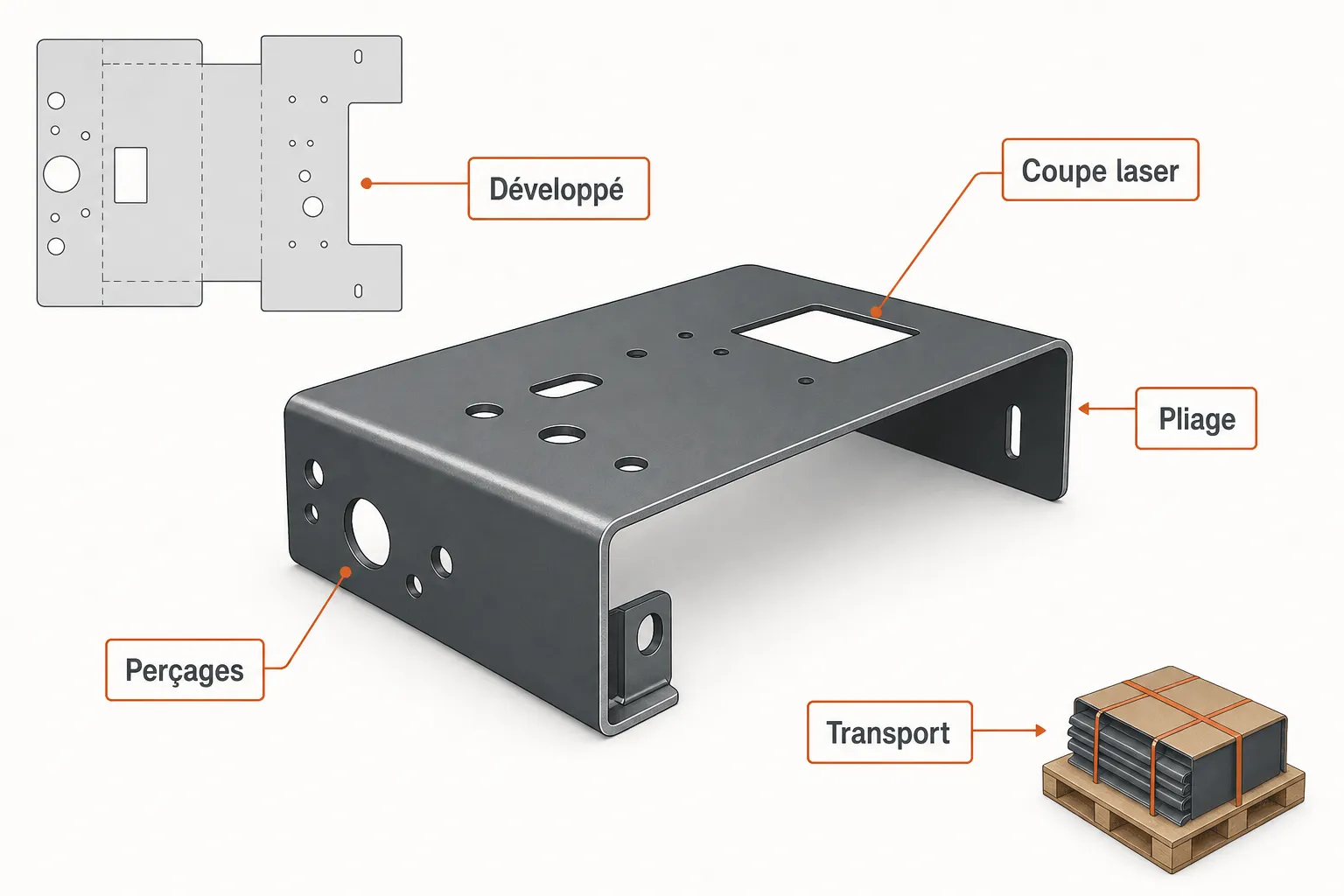
A quote for a bent sheet metal part isn't just "how many minutes on the press brake." It's an accumulation of micro-tasks that, end to end, often tie up a qualified person for twenty minutes, sometimes much longer. Multiplied by the number of weekly requests, that time adds up — without generating any direct revenue. This article breaks down each step of quoting a bent part and honestly identifies where a tool like Koventor can save you time, and where the human eye remains essential.
Why is quoting a bent part more complex than it looks?
A flat laser-cut part is already a geometry exercise: surface area, number of pierces, cut path length. Add one or more bends and the complexity jumps a level. You have to calculate the flat pattern (the unfolded length before bending), account for the material pull-in tied to the bend radius, anticipate the sequence of operations so the part physically fits through the press brake without tool collision.
On top of that come practical questions: which tooling is available in the shop, what's the bending table length, which material thickness requires which tonnage? Each of these parameters affects operator time and therefore the price. That's why a salesperson without technical training hesitates to quote alone, and why an already-busy production manager is reluctant to stop for it.
How does quoting time actually break down?
If you dissect the process surgically, you almost always find the same blocks. First, reading the customer's drawing or sketch: understanding what's being asked, identifying the material, the thickness, the tolerances. Then calculating the flat pattern and the allowances, often done in a spreadsheet or in the head of an experienced technician. Then quoting the operations: cutting time, laser or plasma cutting time, number of bend strokes, any tapped holes, chamfers or other secondary machining.
Next comes shipping and logistics: specific packaging for bent parts (they don't stack like flat blanks), delivery time, palletizing. Finally, laying out the quote itself, sending it, and often a manual follow-up if the customer doesn't respond. None of these steps is useless. But several can be sped up.
Where do you lose the most time, and why?
The most common time sink isn't in the calculation itself — a good technician is fast. It's in the back-and-forth: the customer sends a blurry sketch, you ask for details, they reply two days later with an incomplete file, you follow up, and so on. In the meantime, the quote sits in an inbox. Meanwhile, the request may have gone to the competition.
The second source of lost time is scattered tools. The drawing is in an email, the calculation in a spreadsheet, the quote in management software, the follow-up in the salesperson's head. Without a structured process, every quote reinvents the wheel. The third point, often underestimated, is the cost of quotes that don't convert: you spent the time, but the order never came. Reducing the time per quote also reduces this cost of non-conversion.
What does a tool like Koventor actually do — and what doesn't it do?
Koventor is an online quoting configurator dedicated to cutting and sheet metal shops. Concretely, your customer accesses an interface where they describe their part: material, thickness, dimensions, number of bends, holes, quantity. From this data, the configurator generates an indicative quote. That quote isn't final: it's systematically subject to your validation before being sent to the customer. You stay the decision-maker.
For sketches or drawings sent by the customer, Koventor reads them and assigns a confidence score to its interpretation. If that score is sufficient, the calculation continues. If it's too low — ambiguous drawing, missing dimension, unusual geometry — the case is escalated to you automatically. You don't have to monitor every request: only the ones that need it come to your attention.
What Koventor doesn't promise: zero errors, or a 100% automatic process with no human intervention. That isn't realistic, and it wouldn't be honest. What it gives you: a first layer of structured analysis that cuts the repetitive work on standard requests, and an automatic follow-up system with an opt-out for customers who no longer want to be contacted. You keep control, you lose less time on the simple cases.
On which part of the quote is automation genuinely useful?
For simple parts with countable bends — an angle, a U-channel, an L-profile in a common material — calculating the flat pattern and applying your pricing grid are mechanical tasks. These are exactly the tasks the configurator takes on, applying the parameters you've defined: your material costs, your operator times, your minimum billing amounts.
On the other hand, a part with return bends, undercuts, exotic material or tight tolerances requires human analysis. The tool flags it and hands it back to you. It's this sorting logic — handle the automatable, escalate the complex — that creates the real time savings, without sacrificing the quality of the quote.
How do you bring this in without disrupting your shop?
The question shop owners often ask is: "How long does it take to set up, and will it change the way everyone works?" The honest answer: there's a setup phase. You need to enter your pricing grids, the materials you work with, your bending capacities. That's upfront work, but it's work that also structures your own quoting logic.
After that, the configurator is a customer-side tool, not a shop-side one. Your operators don't change their working method. Only the intake flow changes: instead of receiving an email with an attachment and incomplete information, you receive a structured file with the data already laid out. Your processing time focuses on checking and validation, not on collecting information.
If you want to see how to set up your own configurator, the page dedicated to our sheet metal quoting tool gives you a concrete view of what you configure and what your customer sees: /configurateur-devis-tolerie.
And shipping — can it be quoted automatically?
That's the item that resists pure automation the most, and it needs to be said clearly. Shipping a bent part depends on its final bulk (not its flat pattern), the fragility of the edges, the destination, and the terms of your usual carrier. These parameters are hard to make generic.
What the configurator can do: apply a shipping flat rate parameterized by you according to geographic zones or weight brackets, and display a "shipping cost to be confirmed" line on the indicative quote when the part falls outside these brackets. The customer knows there'll be a cost, you haven't sold something at a loss, and the shipping discussion happens at a stage where both parties already agree on the rest in principle.
Frequently asked questions
Is the quote generated by Koventor sent directly to the customer?
No. The quote is indicative and must go through your validation before being sent to the customer. You keep total control over what leaves your shop.
What happens if the sketch sent by the customer is illegible or incomplete?
Koventor assigns a confidence score to its reading of the document. Below a certain threshold, the case is escalated to you automatically for manual handling. No estimate is produced on a drawing the tool doesn't understand well enough.
Does it work for parts with many bends or complex geometries?
For complex geometries — return bends, unusual shapes, special materials — the tool detects the complexity and sends the case back to you. It isn't designed to replace a bender's expertise on atypical parts, but to efficiently handle the standard requests that often make up the majority of incoming work.
What is the automatic follow-up with opt-out?
After a quote is sent, if the customer doesn't respond within a delay you define, Koventor sends a follow-up in your name. Each follow-up contains a link letting the customer unsubscribe from these reminders if they wish. This respects commercial communication rules and avoids putting off a prospect.
Do we have to change our management software or ERP to use Koventor?
No. Koventor is a customer-side request intake tool. It doesn't replace your existing ERP or quoting software: it structures the request upstream, before you handle it in your usual tools.
Can the configurator include our material rates and minimum billing amounts?
Yes, that's precisely what you configure during setup: your material grids, your operating costs, your minimum orders. The configurator applies your rules, not generic price lists.